
AlcoSense Excel: a breathalyzer test. Is it worth having at home?
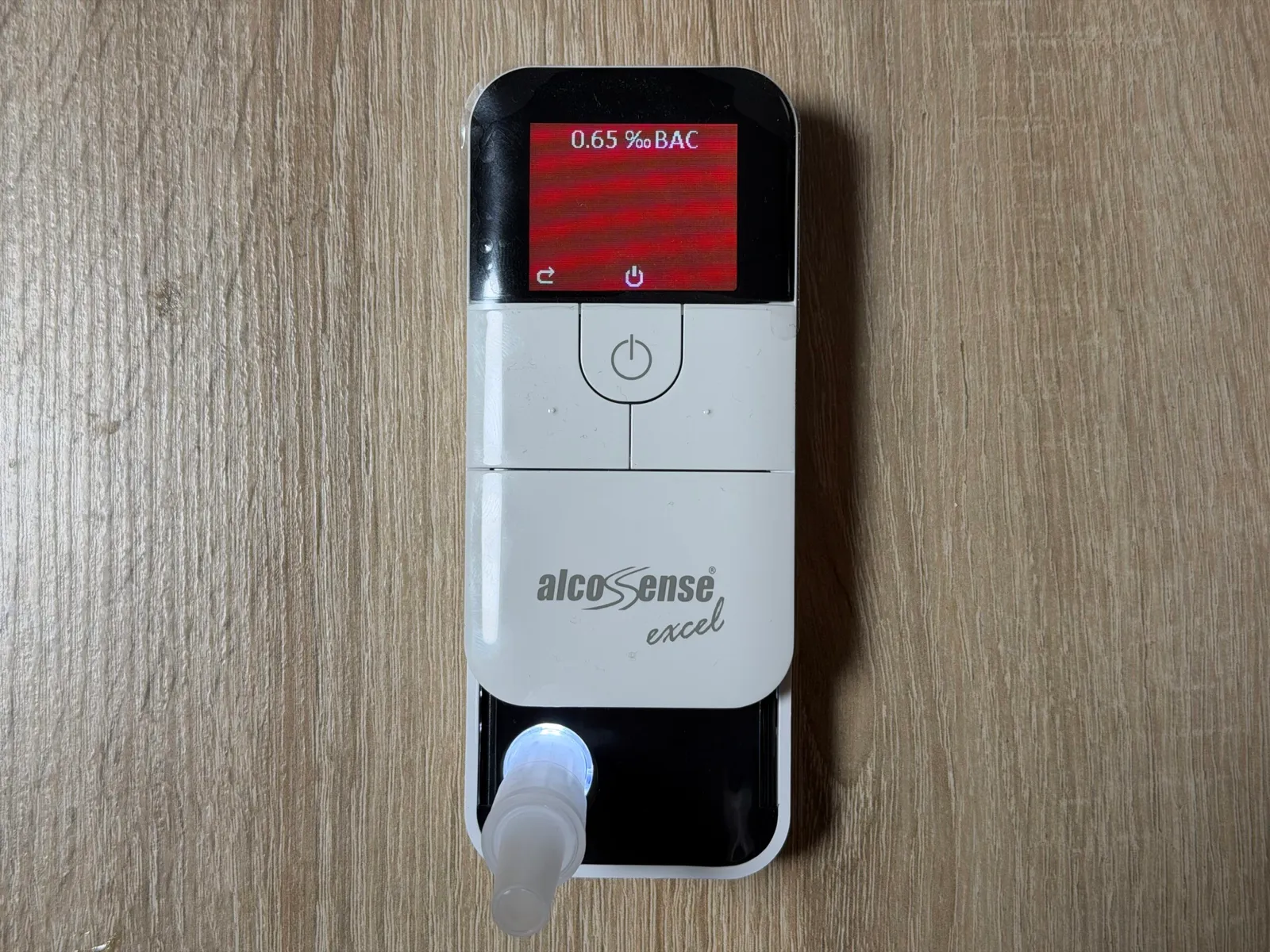
The AlcoSense Excel breathalyzer is a device I took for testing out of genuine curiosity. I personally tend to avoid alcohol, but I know it is quite deeply rooted in Polish culture. Therefore, I believe that if someone does drink, they should above all remember not to get behind the wheel after drinking. And if they have doubts about whether they can drive yet, they should have the opportunity to check this before starting to drive.
Table of Contents
Show
Hide
So I decided I would gladly test such a device and see what its daily use is like. Initially, I planned to do this in September, during my sister-in-law’s wedding. Unfortunately, the first test didn’t go as planned.
First Test and a Small Mistake
It turns out that using a breathalyzer is a bit like using a digital thermometer for children. You need to follow the instructions and simply know how to take a proper reading. During my first test, I lacked both of these elements. Every reading showed zero, so I quickly realized I must have done something wrong.
The first unit was later sent to a laboratory, which confirmed that the problem wasn’t with the device but with the way I was taking the readings. So I received a second, new breathalyzer and this time approached the test according to the instructions.
The results started looking completely different. The device showed the level of alcohol consumption in someone who had actually drunk alcohol, while it indicated zero for a non-drinker. This allowed me to check whether the breathalyzer responded correctly in practice.
Operating the AlcoSense Excel is very simple
Using the device itself is not complicated. First, we need to insert the batteries. Rechargeable batteries can be a convenient option, though I still need to confirm whether they can be charged via the micro USB port.
During the first startup, we go through the device’s configuration. We set basic information such as the date of the first use, language, volume, and screen brightness. The breathalyzer also remembers the dates of measurements, which can be useful for future use.
The actual measurement is very simple. We just need to wait until the device indicates it’s ready, put on the mouthpiece, and blow steadily. There’s no need to use excessive force. It’s important to maintain a steady stream of air until the breathalyzer signals that the measurement is complete. The result appears on the screen after a few seconds.
The results are displayed in an easy-to-read format, so there’s no need to wonder what the device is showing. The operation is intuitive and shouldn’t cause any problems after the first use.
Earpieces and case. I miss one feature.
One aspect could be improved. I lack a space to store the earpieces directly inside the breathalyzer’s casing. Fortunately, the manufacturer includes a case in which several earpieces can be kept. In practice, this solves the problem since all necessary components are in one place.
Still, it would be great to have a built-in earpiece that can be detached, cleaned, and reattached when needed. Or at least a small compartment in the casing. It would simply be more convenient for daily storage of the device.
The case itself does a good job and allows for safe storage of the breathalyzer along with additional mouthpieces.
How long does it run on batteries?
I haven’t had the chance to check how long the AlcoSense Excel lasts on a single set of batteries. However, I can say that taking a few measurements didn’t cause even the slightest drop in the battery level indicator.
It seems therefore that the device doesn’t consume much power during a single measurement. It’s difficult for me to determine at this stage whether one set of batteries will last a year or even longer. This will mainly depend on how frequently the breathalyzer is used.
Calibrating the breathalyzer every 12 months
For the AlcoSense Excel, calibration needs to be performed every 12 months. Interestingly, the device reminds you of the approaching deadline on its own. A notification appears after 11 months, giving us time to schedule a service visit and avoid missing the required calibration.
At the time of writing this review, the cost of calibration is around 125 PLN. It can be done at Alcosense laboratories located in various places in Poland, including Warsaw.
It’s worth considering this expense when purchasing a breathalyzer, which costs 549 PLN (on Allegro) at the time of publication. We don’t buy this device once to use it indefinitely without additional costs. Regular calibration is essential to ensure that the measurements remain reliable.
Is it worth having an AlcoSense Excel at home?
In my opinion, a breathalyzer is a device worth having at home, even if one doesn’t drink alcohol very often themselves. You never know when it might be useful to check whether it’s safe to drive yet.
It’s not about using a breathalyzer as a way to find the limit at which one can still get behind the wheel. On the contrary. If someone has any doubts, they should refrain from driving. The device can help ease some of the uncertainty, but it shouldn’t replace common sense.
The AlcoSense Excel turned out to be easy to use, clear, and convenient for taking measurements. In fact, my first test showed me that it’s necessary to follow the instructions precisely, because even good equipment won’t help if we can’t use it correctly on our own.
If someone wants to have a breathalyzer at home and use it before driving, the AlcoSense Excel is a device worth considering. One just needs to remember to take proper measurements and calibrate it regularly. Most importantly, if we have consumed alcohol and are unsure whether we can drive, we should simply not get behind the wheel.
The device stayed with me after the tests, so I’m marking this as a collaboration. The manufacturer did not influence the test results or description.