
What can Grok do in Tesla in Poland? I checked what actually works.
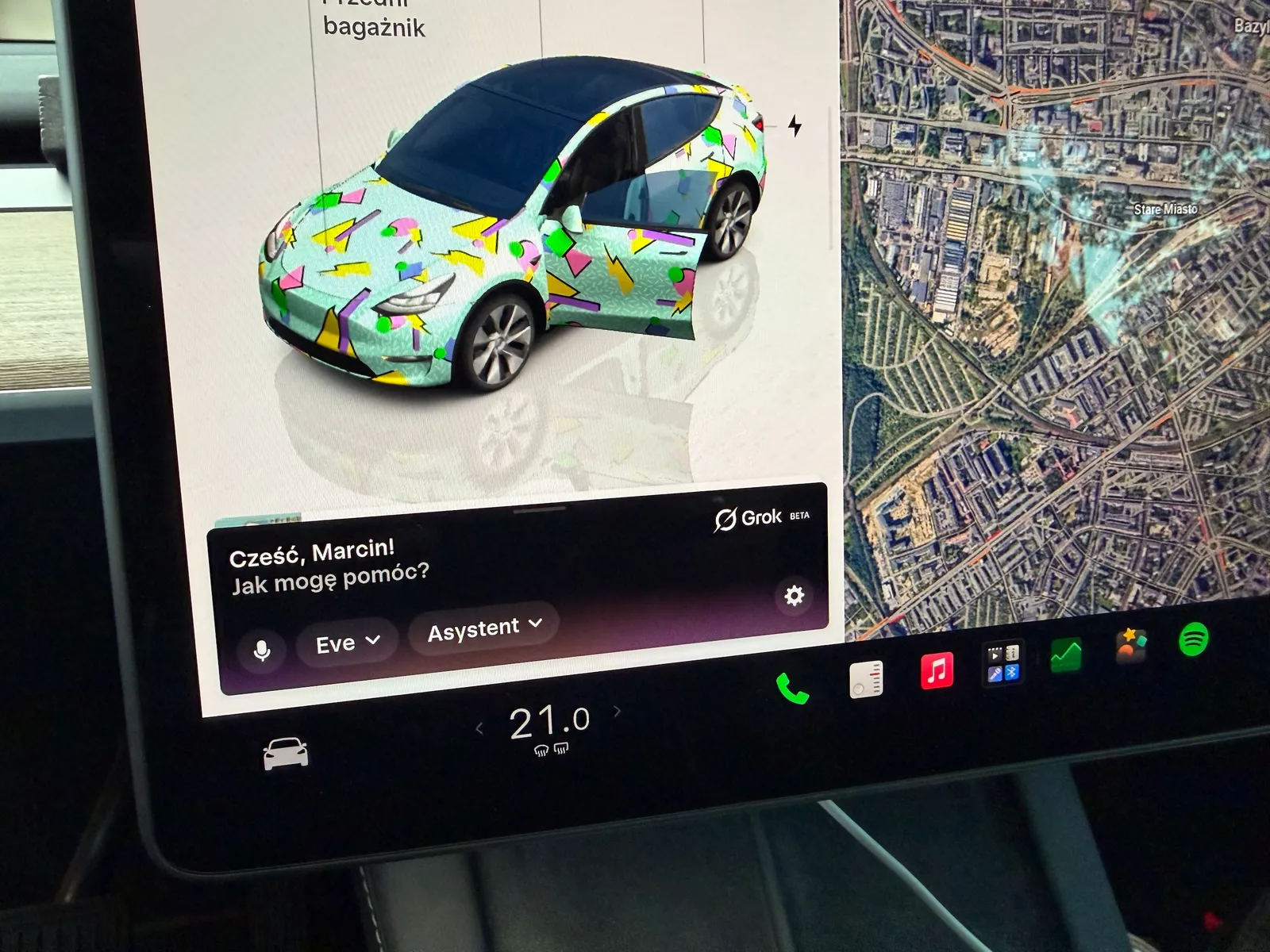
Grok has already arrived at Teslas in Poland and supports the Polish language. Importantly, it can also switch between languages seamlessly within a single conversation. In practice, it is no longer just a chatbot displayed on the screen. It can control many of the car’s functions, set up navigation, open apps, search for information online, and even handle some commands related to the phone and multimedia.
Table of Contents
Show
Hide
However, there is an important note [!]. Grok in Teslas is still a beta feature and cannot do everything that Tesla’s traditional voice commands can. Some commands are executed directly, some lead to the appropriate settings screen, and for certain functions, the traditional microphone still needs to be used.
Importantly, a Grok account is not currently required to use the assistant in Tesla vehicles. Tesla states that Grok can be used without logging in, though limits apply in such cases. Premium Connectivity or a connection to Wi-Fi is needed to use the service.
What Grok Can Do in Tesla Vehicles Now
Three areas perform best: vehicle settings, navigation, and questions asked while driving.
Grok can open setting panels, search for specific options, and toggle many functions without touching the screen. If it cannot make a change on its own, it often opens the appropriate menu and shows where the change needs to be made manually.
It works very well for things like air conditioning, temperature, airflow, wipers, lighting components, cameras, trunk, charging port, Sentry Mode, and multimedia. You can also tell Grok to open Spotify, Apple Music, the radio, browser, phone, or Energy app.
Air Conditioning and Heating
Grok performs especially well here. You can adjust the temperature on the driver’s and passenger’s sides, increase or decrease it by a specific amount, change the airflow strength, turn on air conditioning or recirculation mode, as well as use modes like Dog Mode and Camp Mode.
You can also control the heating in the front seats and steering wheel heating. A more natural command like “I’m cold” also works—Grok can then raise the temperature. The same applies to a command saying “It’s too hot for me.”
Not all air conditioning features are available, however. Direct control over certain airflow directions remains particularly problematic.
Navigation works very well
One of Grok’s strongest features is navigation. You can tell it where you want to go, specifying an address, airport, restaurant, café, or Supercharger. You can also search for places nearby or along the way.
For example, you can say:
“Find an open restaurant nearby.”
or:
“Find a café along the way.”
Grok can search for suitable places and display them in the navigation. You can also use more natural commands. “I’m hungry” might lead to finding places with food, while “I want a burger” can help locate a burger shop.
It also handles turning options like avoiding toll roads or ferries on and off.
Location-based Reminders
This is one of Grok’s more interesting features in Tesla. For example, you can say:
"Remind me to buy bread when I’m near this address."
Grok can create a reminder tied to a location. It’s also possible to set up a recurring reminder. This is an interesting development, as it shows that Grok is beginning to go beyond the role of a simple voice command system.
For now, however, it cannot be considered a fully capable agent that can independently perform any tasks for the driver.
Internet, Browser, and Information Searching
If the car has internet access, Grok can also use online search. You can ask it about the weather, information about places, events, restaurants, or any topic that requires up-to-date data. You can also ask it to open a specific website in the browser. For example, you can use commands like:
"Open x.com"
or:
"Open this restaurant’s website."
You can also ask Grok to search for specific information on Google. This makes the car function more like a computer with an AI assistant rather than a regular multimedia system.
Phone and Messages
Grok also has access to some phone functions. You can make calls and send text messages.
For example:
"Call Marcin."
or:
"Text Marcin that I’ll be there in 15 minutes."
This is an important difference from the first version of the integration, which was much more limited.
Grok can launch and switch between multimedia sources. It supports services such as Spotify, TuneIn, Apple Music, radio, Bluetooth, USB, as well as apps like YouTube, Netflix, and Twitch. You can say:
"Play Spotify."
or:
"Play [song name] on [music service]."
There are still limitations, however. Not all traditional commands related to playback, volume, or scrolling are available directly through Grok. In such cases, Tesla’s traditional voice command system may still be better.
What works and what still has limitations? [table]
The table below is based on user tests as well as Tesla’s current documentation and updates. It should be noted that the availability of specific features may depend on the car model, software version, and region.
Feature
Grok
How it works
Navigate to an address
✅
Set destination
Navigate to an airport
✅
Search for and set route
Home / work
✅
Can initiate navigation
Search for restaurants
✅
Search for places and display them on the map
Search for cafes
✅
Can search for places near or along the route
Superchargers
✅
Display stations and can initiate navigation
Add points to the route
✅
Supported
Avoid toll roads
✅
Can be switched via voice
Avoid ferries
✅
Can be controlled via voice
Location-based reminders
✅
Reminders can be assigned to specific locations
Air conditioning ON/OFF
✅
Works
Temperature adjustment
✅
Works for driver and passenger
Increasing/decreasing temperature
✅
A specific value can be entered
Wind speed adjustment
✅
Works
Closed-loop system
✅
Works
Dog Mode
✅
Works
Camp Mode
✅
Works
Climate Keeper
✅
Works
Defrosting the front windshield
✅
Works
Defrosting the rear windshield
✅
Works
Heating the front seats
✅
Level can be adjusted
Heating the rear seats
⚠️
Available in some models only
Heating the steering wheel
✅
Works
Wind direction
⚠️
Not all settings can be changed directly
Wipers ON/OFF
✅
Working
Wiper speed
✅
Working
Charging port
✅
Can be opened
Trunk
✅
Can be opened
Adjustable mirrors
✅
Working
Mirror adjustment
⚠️
The knob can open the corresponding screen
Steering wheel adjustment
⚠️
Does not provide full adjustment
Trunk
⚠️
Requires a traditional voice command in tests
Frunk
⚠️
Requires a traditional voice command in tests
Sentry Mode
✅
Can be turned on and off
Rearview camera
✅
Opens the camera view
Dashcam recording
✅
Recordings can be saved
Car settings
✅
Grok can find the appropriate section
Chill/Standard mode
⚠️
It can open the relevant settings, but doesn’t always change them
Suspension settings
⚠️
Limited support
Suspension height
⚠️
No full control
Driving dynamics modes
⚠️
Some changes need to be made manually
Screen brightness
⚠️
It can open the relevant settings
Lights
⚠️
Some functions are limited
Spotify
✅
Opening and searching for music
Apple Music
✅
Opening and controlling via commands
TuneIn
✅
Works
Radio
✅
Can be turned on, but tuning is limited
Bluetooth
✅
Can be opened
YouTube
✅
Can be opened
Netflix
✅
Can be opened
Twitch
✅
Can be opened
Disney+
⚠️
Issues opening during testing
Volume
⚠️
Traditional voice control still works better
Pause / Resume
⚠️
Limited support by Grok
Scrolling through tracks
⚠️
Limited support
Phone
✅
Can make calls
SMS
✅
Can send messages
Browser
✅
Can be opened and closed
Opening a specific web address
✅
Works
Internet search
✅
Grok can search for information
Tesla instruction guide
✅
Can answer questions about the car
Tire pressure
✅
Can read information
Mileage
✅
Can display information
Energy app
✅
Can be opened
Calendar
✅
Can be opened and closed
Screenshots
❌
No support
Error reporting
❌ by Grok
The classic voice command still works
Memory of conversations between sessions
❌
A new session does not remember previous conversations
Grok has not yet replaced all of Tesla’s voice commands
Introducing Grok does not mean the old voice command system is no longer needed. There are still functions where Tesla’s classic microphone works better. This includes aspects of lighting settings, mirror adjustments, trunk controls, certain multimedia functions, and settings related to driving.
The difference, however, is that the traditional system operates based on specific commands, while Grok understands natural language quite well. So we can say:
"I'm cold."
instead of searching for the appropriate command related to temperature.
Or:
"Find an open restaurant along the way" or "Where can I eat on the spot."
instead of manually browsing a map. This is precisely Grok’s biggest advantage.
The biggest problem? Lack of memory
There is still one thing that significantly limits Grok’s potential in a car.
The absence of persistent memory for conversations between sessions.
If we end a conversation and start another later, Grok doesn’t retain the full context of the previous discussion, which can be particularly frustrating in a car.
The natural scenario is actually like this:
"Find a restaurant in Poznan."
Grok comes up with a few options, and after a few minutes we add:
"Which one has the best reviews?"
Here, an ideal assistant should know which restaurants we’ve been talking about. For now, this isn’t always possible.
Is Grok already truly useful?
Yes. But not because it can answer questions about the world.
The greatest value lies in combining AI, the internet, car context and Tesla function control with the ability to have a normal conversation rather than artificially issuing commands.
Grok can already adjust the temperature, turn on Dog Mode, find a restaurant, set navigation, open Spotify, call a contact, send a message, locate car settings, or create location-based reminders.
At the same time, there are still many functions it can’t perform on its own.
So for now, it’s best to consider it as an intelligent voice interface for Tesla with the capabilities of a traditional AI chatbot, rather than a full-fledged agent.
What’s next?
The potential, however, is enormous.
If Tesla allows Grok to maintain context, remember user preferences, and perform more complex sequences of actions, the change could be truly significant.
Imagine a command:
“Tomorrow morning, when I’m driving to work, remind me to charge. If the battery is below 30%, schedule a charge along the way.”
Or:
“Find me a hotel for tonight with charging, preferably under 500 zł, and show me the three best options.”
That would no longer be a chatbot but a real agent operating inside the car.
For now, Grok hasn’t reached that level yet.
In Tesla models in Poland, it’s already good enough that traditional voice commands start to seem like technology from the previous generation.
The question is no longer whether Grok will be able to control the car.
The question is how quickly Tesla will allow it to do more.
Order your Tesla and take advantage of purchase bonuses using the referral link!